Campaign work
Advertising, social, email and content that run to a plan.
- Google & Meta ads
- Social media
- Content
Marketing made simple
We start by understanding your business, your goals and how you operate. Then we support you with campaign work, experience design and development, and digital marketing optimisation.
The method
A campaign ends. A product gets better. We treat your website, app, emails, advertising, social media and content as a system. We work with you to create a strategy and plan, a release cycle and use measurement to tell us what to do next.
Test
A new landing page, a shorter form, a different first email. Small enough to launch quickly and measure clearly.
Learn
Tracking goes in before launch, not after. We read the numbers, not opinions about the numbers.
Iterate
Every cycle ends with a decision. Most tests don't win. The ones that do, we build on.
Automate
When a step works every time, it stops being a job for a person and becomes a job for the system.
How we work with you
We don't start with a package. We start with how your business makes money, what you want to achieve and how your team works day to day. The plan comes from that.
Step 1 · Understand
Who your customers are, how they find you, how you deliver, and where time and money leak out.
Step 2 · Plan
What to change first, how we'll measure it, and a regular rhythm for reviewing results together.
Step 3 · Support
Advertising, social, email and content that run to a plan.
Apps and websites customers enjoy using and can buy from.
Find the leaks, fix them, and automate what works.
Work
Every project follows the same method: understand the business, plan, then support it. Each case below shows the problem for the people who use it, what we built, and what changed for the owner.
Case 01 · Health and wellness
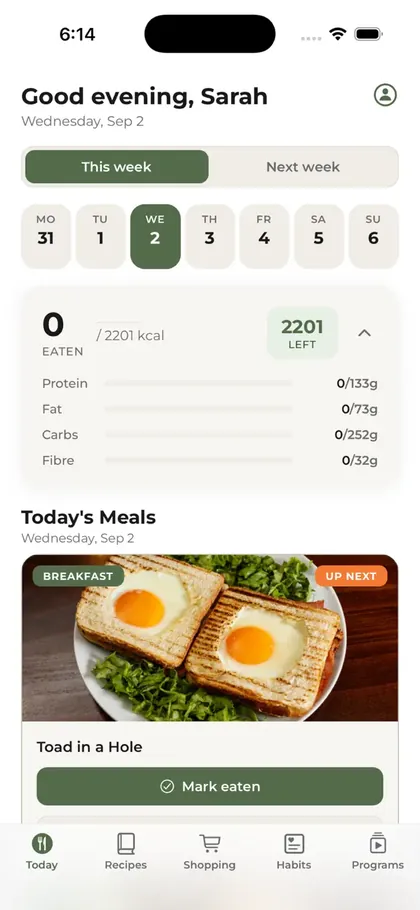
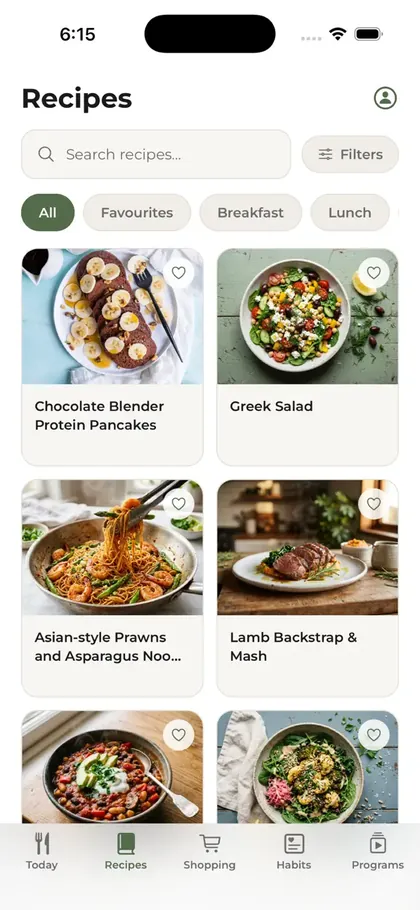
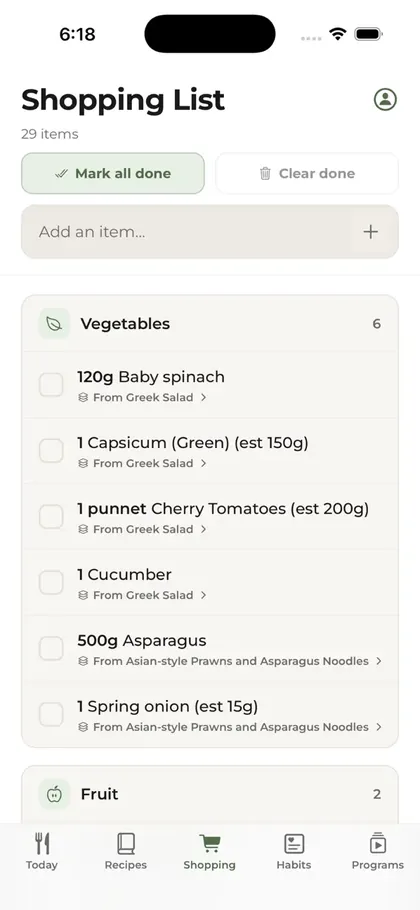
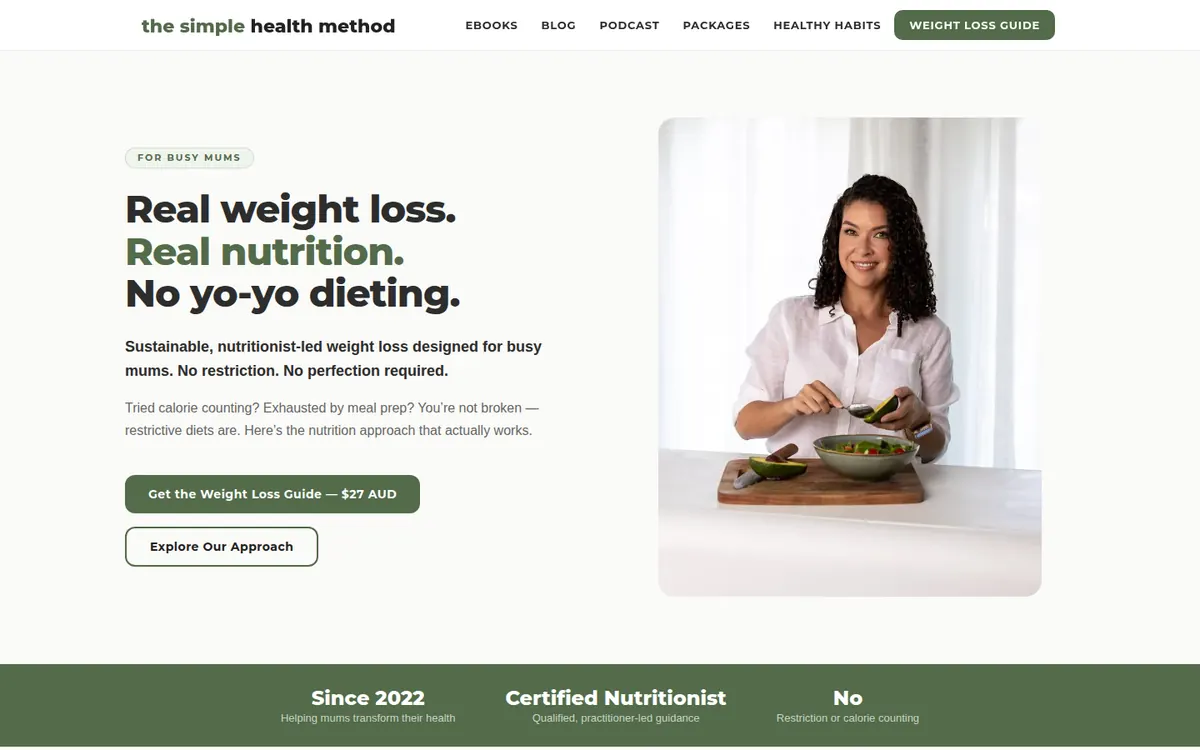
A nutritionist-led business for busy mums. We built the app members pay for, the console and CRM the coach runs the business from, the website that sells the programs, and the pipeline that keeps the recipe library growing.
The problem
Busy mums have no time to plan meals and no easy way to know what fits their body. Generic diet advice doesn't work for them, and can do harm after pregnancy.
What we built
For the owner
One nutritionist's expertise became a product that serves members at any hour. She runs coaching, memberships and follow-up from one console, and every sales funnel can be read from first visit to purchase.
How it works
Recipe pipeline
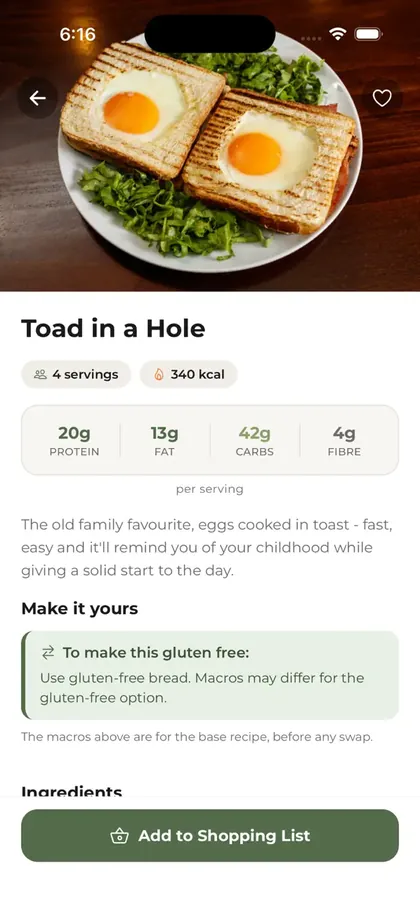
Adding a recipe used to mean typing it in, looking up every ingredient and calculating the nutrition by hand. Now the nutritionist sends a photo or a link, and the recipe is ready for members to use in less than five minutes.
Each ingredient is matched to official food composition data. If an ingredient can't be matched with confidence, the recipe stops at a review step until a person approves it, so the macros members see are always checked.
Coach console and CRM
The nutritionist had no single view of her members: data sat in the app, a database and spreadsheets. We built a private web console for her, and connected the app to a lifecycle email program, so she can see who needs help, act on it and keep members engaged.
Every member in one list, with search, filters and flags for who needs attention: weight going up, a missed check-in or no recent activity.
See who needs help first
One member's full picture: profile, check-ins, wellbeing, habits and private coach notes. The coach can set a member's calorie and macro targets directly.
Personal coaching at scale
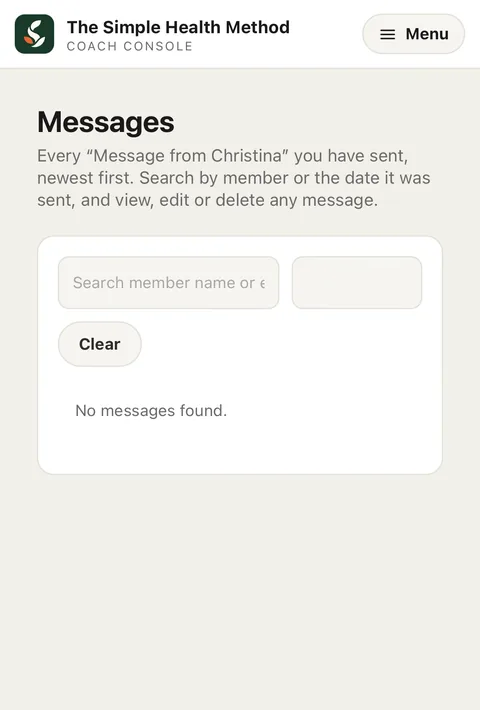
The coach sends a message from the console and it appears in the member's app. She can edit it later, and she can see if the member has read it.
Reach members where they are
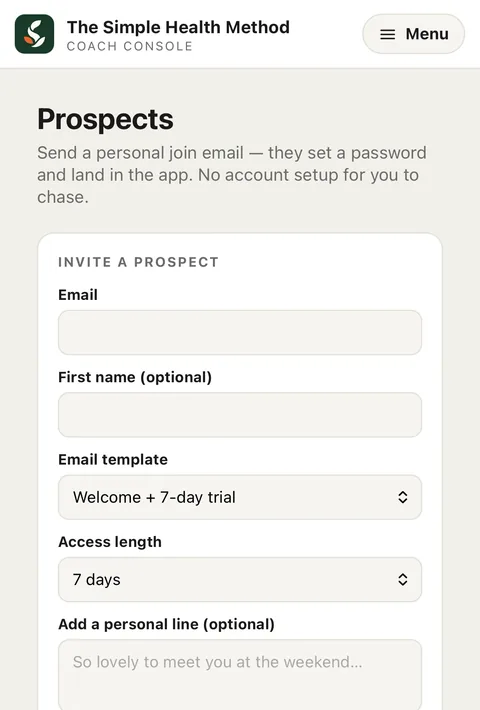
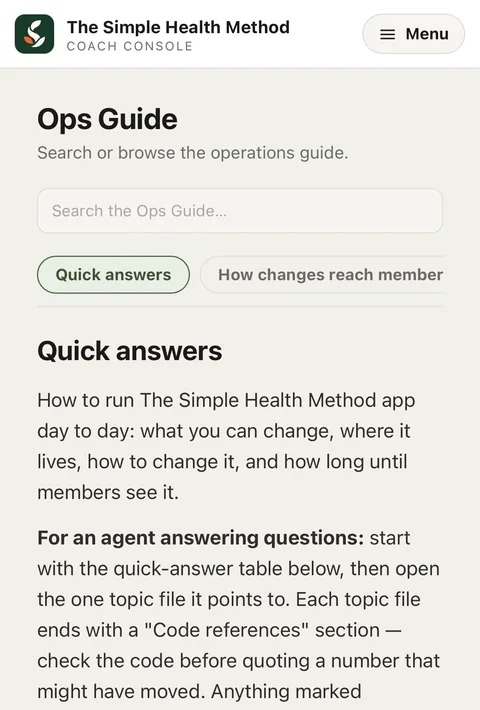
Give access to a program, add a free membership for a set time, or invite a prospect with an email previewed live before it goes. A built-in Ops Guide explains how to run the app day to day.
No developer needed
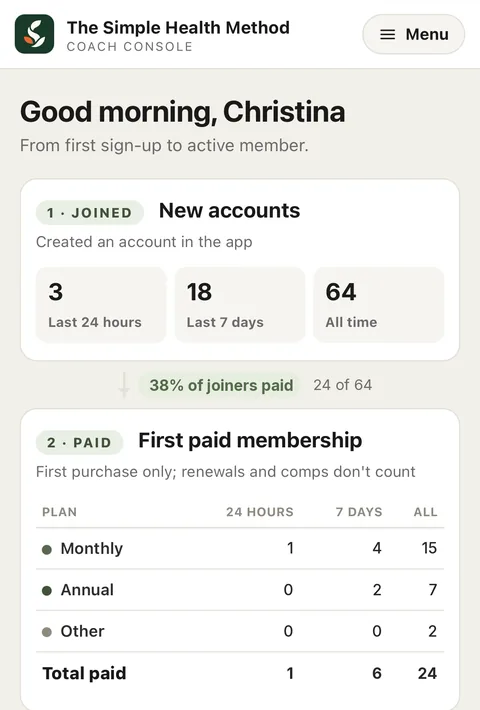
The funnel from sign-up to paid member, then usage: weekly active members over 8 weeks, meal-plan adherence and shopping-list use, each with a drill-down.
Decisions on real usage
The app syncs every member to MailerLite when they sign up, start a trial, change membership or update their profile. Welcome, trial, conversion and win-back emails run from that data.
Follow-up runs by itself
Built safely: the console is for admins only, on its own address, with scoped access. Account emails (password reset, account setup) go through a separate service from marketing emails, and when a member deletes their account, their data is also removed from the email platform.
Architecture
The key decision was to build the app with Expo (React Native) in TypeScript. One codebase serves both platforms, so going to Android is a build and a store listing, not a second app. Most changes reach members without a store release.
Each screen is written once and becomes a real native screen on iPhone and Android. A fix or a feature lands on both.
No second app to maintain
Expo's build service (EAS) makes the App Store and Google Play files. Nobody maintains separate Xcode and Android Studio projects by hand.
Less build overhead
Changes to screens and logic go straight to members' phones with EAS Update. There is no new build and no wait for store review.
Fixes live in minutes
The meal plan engine, recipe data and pricing rules run on the API server, which shares one TypeScript codebase with the app. A server change reaches every member on both platforms at once.
No app release needed
The trade-off: a change to the native layer, such as a new native library or a change to the app configuration, still needs a new store build and review. We track this so those changes are planned, and everything else ships without one.
Case 02 · Family and kids
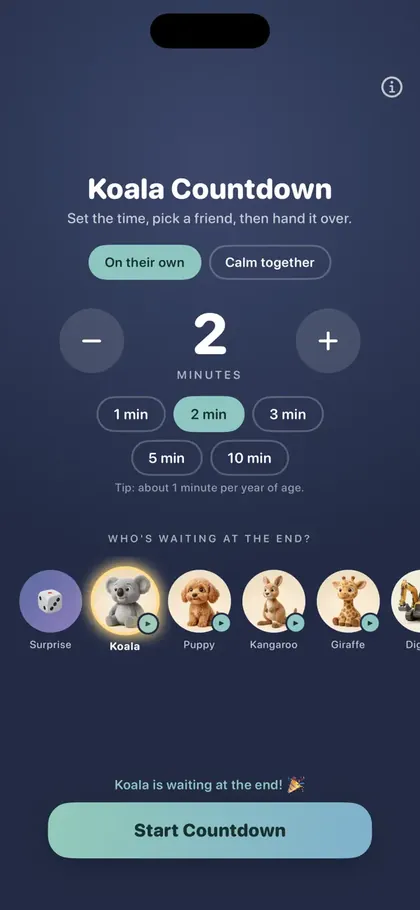
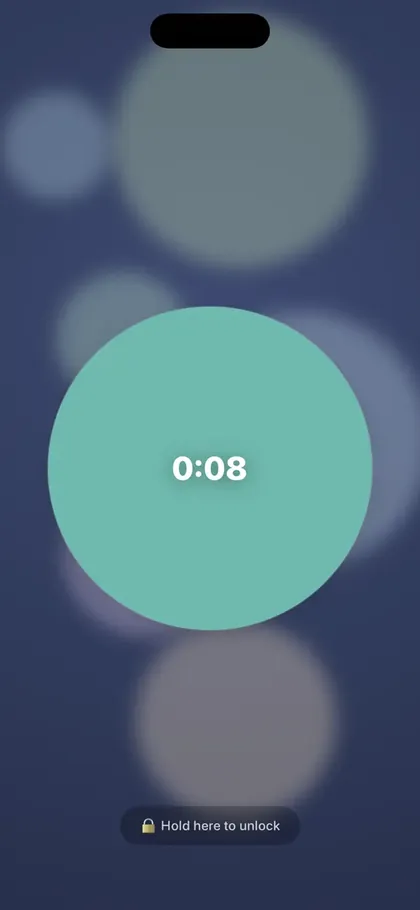
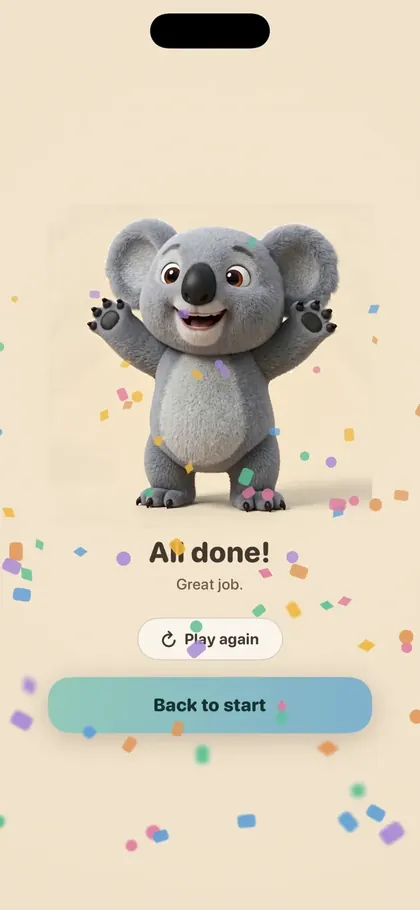
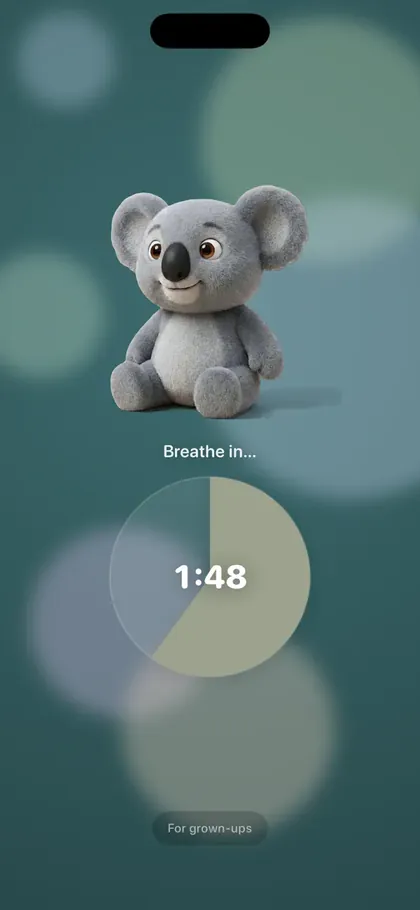
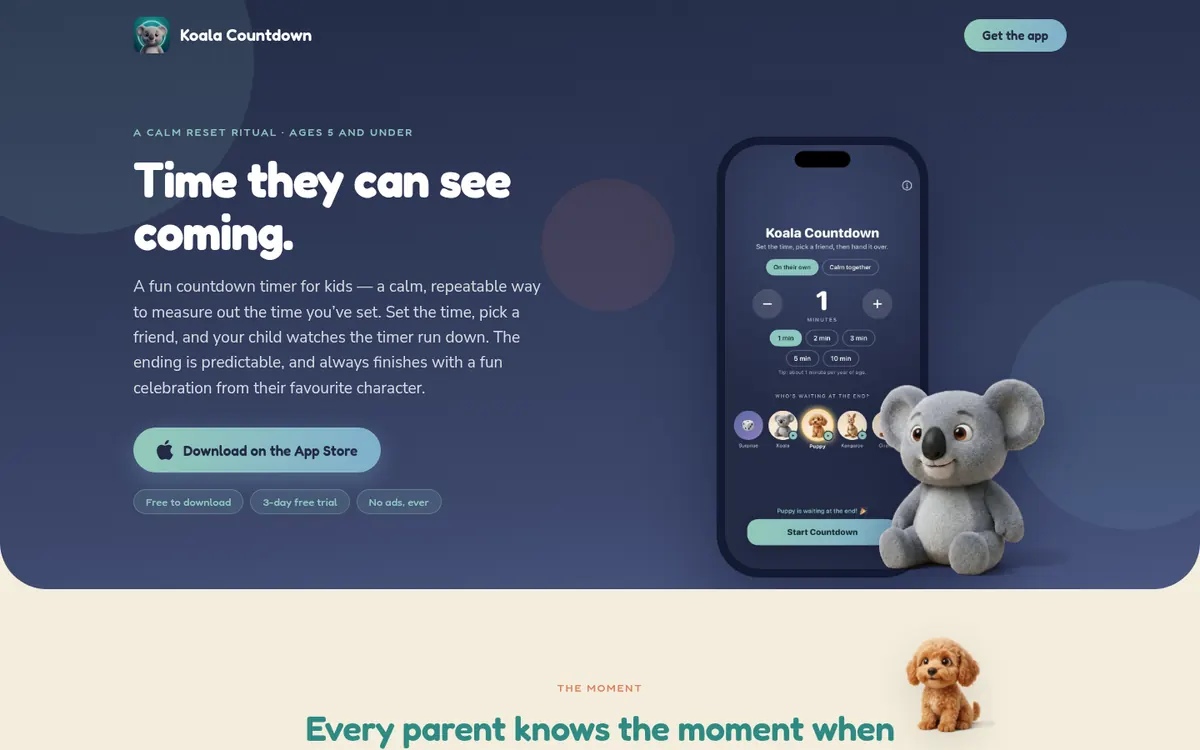
A calm visual timer for toddlers and young kids. We built the app, the launch website and the social content to bring it to market.
Android version in development.
The problem
Toddlers can't read a clock, so "five more minutes" means nothing. Time-outs, screen time and bedtime turn into battles.
What we built
For the owner
A one-time purchase with nothing to host: no servers to run and no user data to protect. The 3D characters and videos came from an AI asset pipeline, so a new character takes hours, not a design budget.
Case 03 · Hospitality
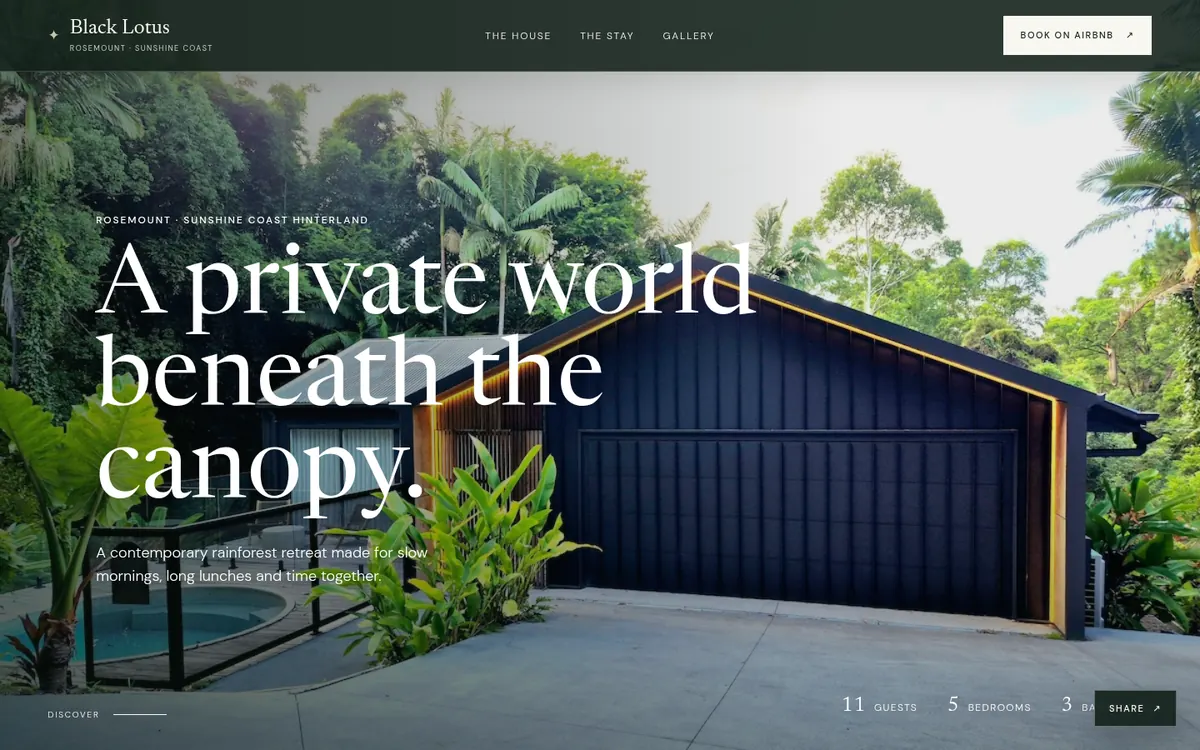
A five-bedroom rainforest retreat in the Sunshine Coast Hinterland. We built a brand website so the house can be found and booked outside Airbnb.
The problem
Families and groups want to see the house, the rooms and the area before they commit to a big shared trip. An Airbnb listing alone can't do that.
What we built
For the owner
A brand that exists outside the Airbnb listing. Guests find the house in search, and the site is ready for direct bookings.
How we go fast
We don't add a chatbot to your marketing. We design AI systems and processes for each job, from analysis to automation, and a person checks every output before it goes live.
Scans of competitors, reviews and search results that take hours, not weeks.
Example: a competitor ad and content report, refreshed on a schedule.
AI-assisted engineering with written specs, code review and tests, so apps and sites launch sooner.
Example: two native apps built and launched by a small team.
Asset pipelines that make images, video and copy in your brand, in batches.
Example: 3D characters and celebration clips for Koala Countdown.
Tracking designed before launch, and reports that say what changed and why.
Example: matched GA4 and Meta events across every checkout.
Workflows that run by themselves once they prove they work.
Example: a new recipe from photo to app in under 5 minutes.
Questions
We treat your marketing as a product to optimise. First we learn your business, your goals and how you operate. Then we support you with campaign work, experience design and development (apps and websites), and digital marketing optimisation.
Yes. We designed, built and launched The Simple Health Method and Koala Countdown, which are both live on the Apple App Store. We handle the spec, design, development, store listing and launch marketing.
We design AI systems and processes for specific jobs: analysis, development, implementation, measurement and automation. For example, our recipe pipeline puts a new recipe into The Simple Health Method app, with checked nutrition data, in less than five minutes. A person checks every output before it goes live.
Small and medium businesses and founders in Australia, from health and wellness to hospitality and consumer apps. We are based in Brisbane.
Send a short message through the form below or email brendan@thesimplemarketingmethod.com.au. Tell us about your business and the problem you want to solve.
Contact
An app idea, a website that isn't pulling its weight, or marketing that takes too much of your time. Send a few lines and we'll reply with what we'd look at first.
Prefer email? brendan@thesimplemarketingmethod.com.au
Based in Brisbane, working with businesses across Australia.